WhatsApp Chat Backup Checklist for Small Businesses
Small businesses often discover a WhatsApp data gap during the worst possible moment: a phone is damaged, an account becomes unavailable or an employee leaves before customer conversations are handed over. A backup routine reduces that risk only when it is defined, verified and owned by someone.
This checklist focuses on records your organization is authorized to retain. It uses Bakvio as a local archive for accessible chats, contacts, group-member information and supported media. It does not retrieve data that was never backed up and does not replace WhatsApp’s official restore process.
1. Define what is business-critical
List the WhatsApp accounts that support:
- Customer service.
- Sales and account management.
- Supplier coordination.
- Project delivery.
- Authorized community or group administration.
For each account, identify the conversations, contacts and media that would be difficult to recreate.
2. Assign an owner
A backup without an owner is usually postponed. Assign one person to run the process and another authorized person who can verify that the archive is usable.
Record:
- Account owner.
- Backup operator.
- Verification date.
- Backup location.
- Retention period.
- People allowed to access exports.
3. Choose a backup frequency
Match the schedule to the acceptable data-loss window. A support account with daily customer activity may need frequent backups; a low-volume supplier account may need less.
Do not claim a schedule exists unless someone checks that it completed. Bakvio does not create data that was unavailable during the selected run.
4. Back up chats and supported media
Use Chat Backup for important conversations, timestamps and available attachments. Verify several recent and older messages instead of relying only on a total count.
When media matters, check that the files open. A message reference without the quotation, image or document may not preserve enough context.
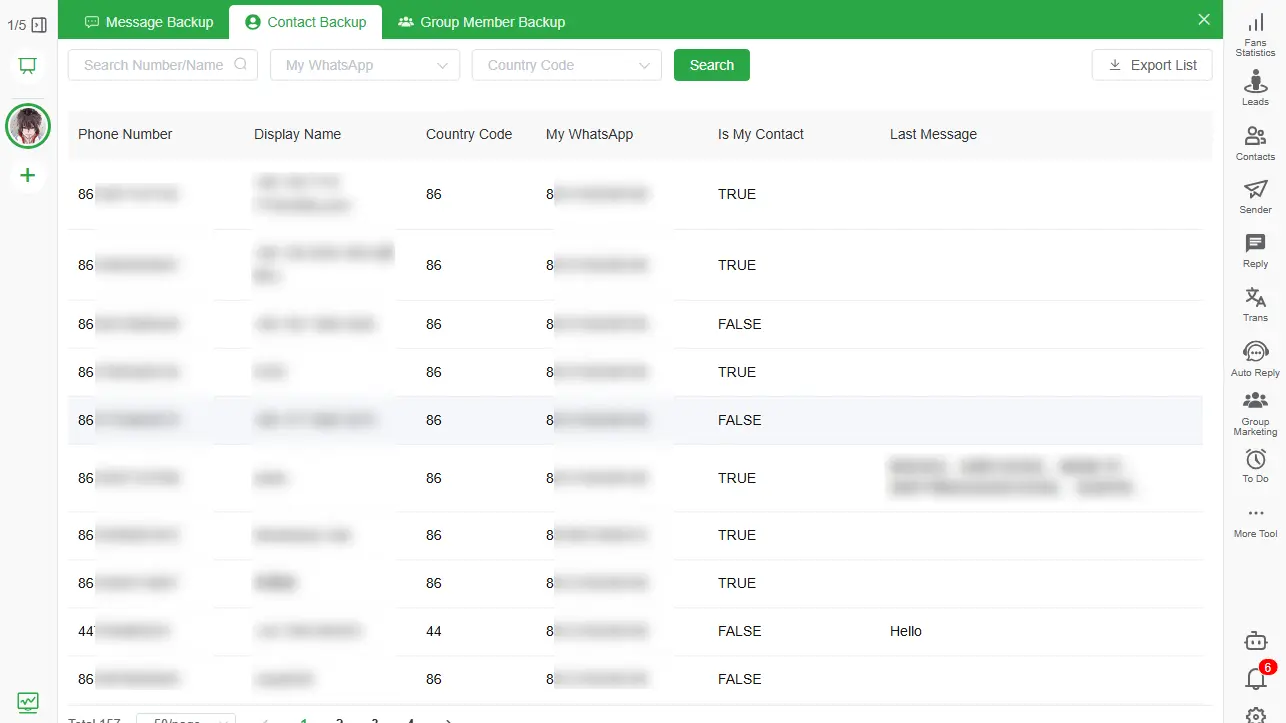
5. Back up saved and unsaved contacts
Important business contacts are not always saved in the phone address book. Use Contact Backup to retain available numbers, names, account association and last-message context.
Exporting contacts creates responsibility. Use the data only for an authorized purpose and follow applicable privacy, consent and retention requirements.
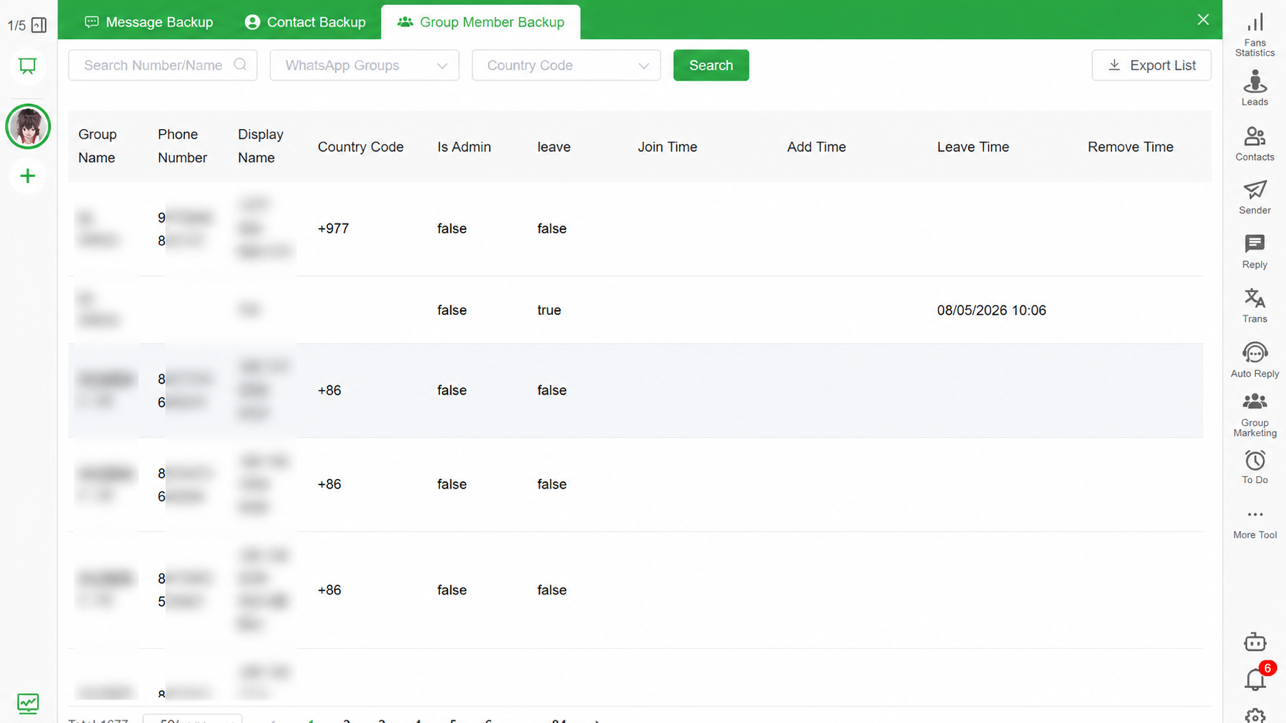
6. Back up authorized group-member records
For groups your organization legitimately manages, preserve available group names, member numbers, nicknames, admin status and membership events needed for administration.
Do not treat group membership as blanket permission for unsolicited marketing. Limit exports to an approved operational purpose.
7. Verify the local archive
After every important run:
- Open the local Backup Center.
- Search for a known recent message.
- Open a representative conversation.
- Check an important media file.
- Find one saved and one unsaved contact.
- Review one managed group.
- Export a small HTML or spreadsheet sample.
If another authorized person cannot find the record, the process is not ready for an emergency.
8. Prepare for employee handover
Before an employee leaves or changes roles:
- Confirm which WhatsApp account they used.
- Complete and verify the final approved backup.
- Export the customer or project records needed for handover.
- Transfer access according to company policy.
- Remove the former employee’s access to the computer and export folders.
- Document who accepted responsibility for the archive.
Avoid waiting until after the account or device is unavailable.
9. Protect local storage
Local storage keeps the core Bakvio archive under your control, but the computer must be secured:
- Enable device or disk encryption.
- Use individual operating-system accounts.
- Apply security updates.
- Restrict backup and export folders.
- Avoid unapproved cloud-synchronized directories.
- Keep a protected second copy for critical records.
- Test recovery of that second copy.
10. Choose the right export
- Use HTML for readable conversation handover.
- Use Excel or CSV for authorized filtering and structured operations.
- Include supported media when attachments provide essential context.
- Export contacts or group-member fields only for an approved business purpose.
Read How to Export WhatsApp Chats to HTML with Media for the detailed workflow.
Monthly review
Once a month, ask:
- Are all active business accounts included?
- Did any account owner or employee change?
- Can an authorized colleague find a required conversation?
- Are media files still opening?
- Is storage capacity sufficient?
- Should old exports be deleted under the retention policy?
- Are there copies in personal folders or unapproved cloud drives?
Update the checklist when the business workflow changes.
Important limitations
Bakvio keeps completed local records available for viewing, search and export, but:
- It cannot recover content that was never backed up.
- It cannot synchronize new data after account access is lost.
- It does not restore archives into WhatsApp.
- It cannot guarantee availability of old media.
- Its exports are not automatically certified legal evidence.
For a complete explanation of backup types, read WhatsApp Chat Backup to PC Without Cloud Storage.
Prepare for staff and group handovers
Use Back Up WhatsApp Business Chats Before an Employee Leaves for a controlled offboarding process. For managed communities, follow Back Up and Export WhatsApp Group Members and keep every export within its approved purpose.
Start the checklist before an incident
The best time to verify a backup is while the account, device and responsible employee are still available. Download Bakvio and build a searchable local archive for the WhatsApp records your business is authorized to retain.